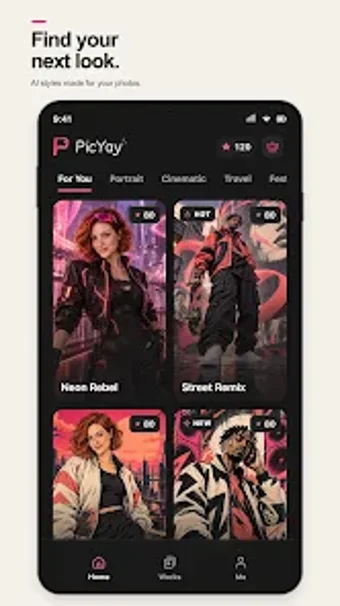
Mobile AI portrait studio that turns photos into stylized images and videos
Transforms portraits into stylized images or short AI-generated videos using a template-first workflow. AtomCreek builds this Android multimedia tool to let social creators skip text prompts and pick visual looks instead. The app shows template previews, accepts your personal photos, and runs AI processing on-device or in the cloud. It targets casual creators and social posters who want quick, polished generative results without learning prompt engineering.
How the app handles creative intent
PicYay bases its creative flow on templates rather than typed prompts, so you choose an artistic direction from a library and upload a portrait to generate output. That workflow turns portrait editing into a selection-and-run process, where the templates define motion, color, and stylistic transformations. The app supports both static stylization and short video animation, letting you move from a still photo to motion without manual keyframing.
What formats and inputs it accepts
The app accepts personal photos and portrait images as the input for its generators; template previews appear before you commit to a render. The documentation frames uploads as standard mobile images rather than a long list of codecs, so you import common photo files from your device gallery and let the model produce either a stylized image or a short AI video.
Interface, onboarding, and workflow speed
You navigate by browsing templates, previewing styles, and uploading a photo, which keeps the onboarding short for new users who do not want to write prompts. Previews let you check a look before generation. The template-first flow reduces setup steps and focuses on selecting an aesthetic, which helps you produce shareable content quickly on an Android device.
Creative depth and practical limits for creators
The app blends easy access with hybrid outputs: still-image stylization and AI-driven video motion in one place, which suits social posts and quick experiments. The developer positions it for mobile users who want professional-looking effects without complex tools. The app uses an account-gated in-app currency or membership model to manage processing of generated assets, which affects how many outputs you can create during a session.
A practical gateway for creators curious about AI-driven visuals
You get a low-friction route from a personal portrait to a finished stylized image or short clip, making the app a sensible entry point for social-focused creators who want immediate visual results. If you prefer hands-on control over every parameter, this template-led approach narrows that freedom. Consider whether the app’s access model fits how often you plan to experiment with generative outputs.